Aquiva blog/ISV / AppExchange
Salesforce 1GP vs 2GP: Key Differences & Migration Guide 2025
Explore Salesforce 1GP vs 2GP differences, migration benefits, and how PDO partners simplify Salesforce package development.
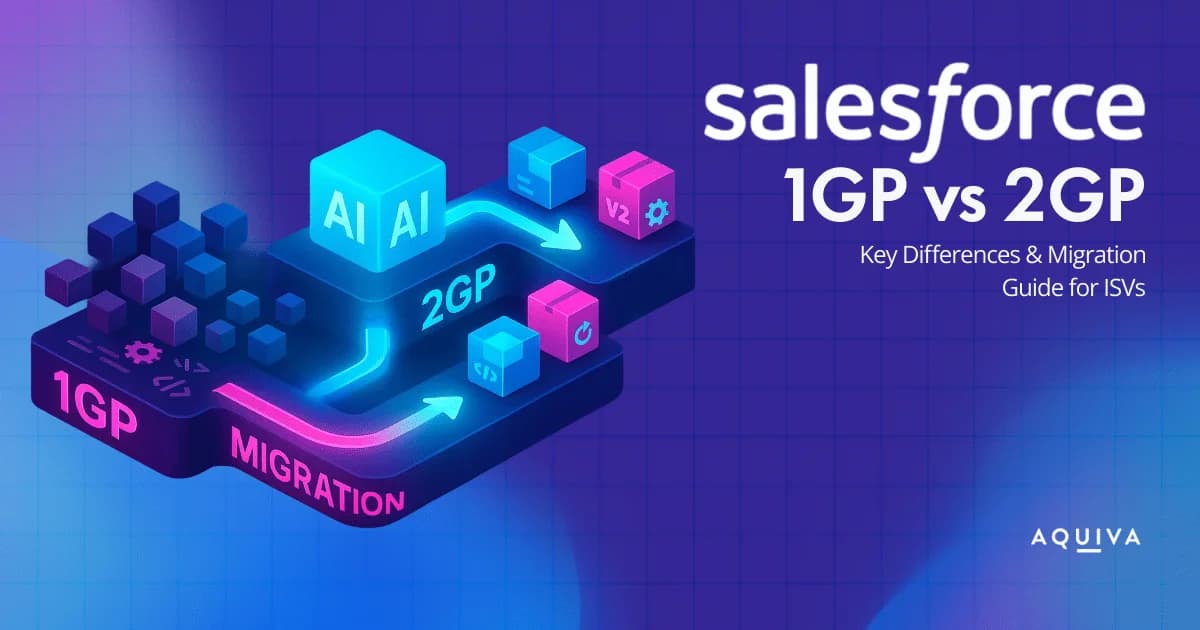
For Salesforce ISVs, the way you package, release, and manage your apps is evolving, and fast. The shift from Salesforce 1GP to 2GP marks a major leap forward in how developers build, test, and deliver applications on the Salesforce platform.
While the First-generation managed packages (1GP) model has served ISVs for years, it comes with limitations in scalability, automation, and version control. The new Second-generation managed packages (2GP) model changes that introduce source-driven Salesforce package development, Git integration, and CLI-based automation for a modern, DevOps-ready experience.
In this guide, we’ll break down the key differences between Salesforce 1GP vs 2GP, explain why the migration matters, and show how ISVs can start preparing for the transition, with expert guidance from a PDO partner like Aquiva Labs.
A managed package in Salesforce is a container that bundles customizations, components, and metadata, such as Apex classes, Lightning Web Components, and Visualforce pages, into a single distributable unit.
It’s how ISVs (Independent Software Vendors) create and deliver apps securely to customers via the Salesforce AppExchange.
Managed packages are crucial for Salesforce package development because they allow developers to:
-
Protect intellectual property through code obfuscation.
-
Enable controlled versioning and seamless upgrades.
-
Maintain isolation between customer orgs and developer environments.
These packages come in two forms: First-generation (1GP) and Second-generation (2GP), each with unique structures, deployment processes, and version control mechanisms.
If you’re building or maintaining an AppExchange app, understanding this distinction is essential to ensure your app scales with Salesforce’s modern development ecosystem.
Salesforce offers two methods for producing managed packages: the older First Generation (1GP) and the more recent Second Generation (2GP). While both serve the same objective of creating a managed package for sharing applications with other Salesforce organizations, they differ in their approach to facilitating version comparison and creation.
| Managed 1GP Packages | Managed 2GP Packages |
|---|---|
| The metadata in your package is considered authoritative if you’re using a managed 1GP package, and it resides in the packaging org. | If you’re using a managed 2GP package, the metadata in your package is considered authoritative if you’re using a source-driven system with version control, and there’s no need for packaging or patch orgs. |
| The packaging org is the owner of the managed package in a 1GP packaging model, and the packaged metadata is stored in it. | The managed package in a 2GP packaging model is owned by the Dev Hub, but the packaged metadata is not stored in it. To use a 2GP package, it is recommended to enable Dev Hub in your Partner Business Org (PBO). |
| In a 1GP packaging model, a packaging org can only own a single managed package. | In a 2GP packaging model, a single Dev Hub can own one or more packages. |
| The namespace of a managed package is created within the packaging org in a 1GP packaging model. | In a 2GP packaging model, the namespace of a managed package is created within a namespace org and linked to the Dev Hub. Additionally, you can associate multiple namespaces with a single Dev Hub. You can link a namespace to a managed 2GP package by running the force:package:create Salesforce CLI command, and you need to specify the namespace in the sfdx-project.json file. For further details, refer to the Namespaces for Second-Generation Managed Packages documentation. |
| In a 1GP packaging model, a namespace can only be associated with a single package. | In a 2GP packaging model, multiple packages can use the same namespace. |
| Global Apex is the only means of sharing code across packages in a 1GP packaging model. | In a 2GP packaging model, multiple packages that share the same namespace can share code by using public Apex classes and methods with the @namespaceAccessible annotation. |
| Certain packaging operations, such as package creation and package removal, cannot be automated in a 1GP packaging model. | In a 2GP packaging model, all packaging operations can be automated using Salesforce CLI. |
| Package versioning is linear in a 1GP packaging model. | In a 2GP packaging model, package versioning is more flexible, allowing you to abandon unwanted package versions. This flexible versioning makes it possible to use branches and does parallel package development. |
| Patch versions can only be created in specialized orgs called patch orgs in a 1GP packaging model. | In a 2GP packaging model, patch versions are created using Salesforce CLI. The version control system is the source of truth, and there are no patch orgs. |
The main difference between Salesforce 1GP vs 2GP lies in how managed packages are built and deployed. Second-generation managed packages (2GP) use source-driven development, version control, and automation through Salesforce CLI, offering greater flexibility, scalability, and DevOps efficiency.
Compared to 1GP, 2GP allows multiple packages per Dev Hub, shared namespaces, and streamlined Salesforce package development for faster, more reliable releases.
Now that Salesforce has shared the upcoming migration possibility, you might be wondering if it is worth investing time and resources in the process.
Here’s why you should be excited about this migration and consider it for your organization:
1. Increased Flexibility for ISVs
In 1GP, developers are tied to a single packaging org. Every update, patch, or dependency must be handled within that environment, slowing down innovation. 2GP removes these limitations by making source control the single source of truth, enabling developers to:
-
Manage code collaboratively using Git.
-
Create multiple package versions simultaneously.
-
Automate deployments through Salesforce CLI and CI/CD tools.
This flexibility is particularly beneficial for ISVs handling complex enterprise Salesforce package development projects.
2. Greater Control Over Package Upgrades
1GP upgrades often create dependency issues and require manual intervention during rollout. With 2GP, ISVs gain granular control over versioning, making it easier to:
-
Push minor updates without affecting core functionality.
-
Roll back releases quickly if issues arise.
-
Maintain long-term compatibility across customer orgs.
This results in faster release cycles and more predictable updates, critical for AppExchange products with large user bases.
3. Improved Developer Experience
For developers, 2GP simplifies packaging through direct CLI commands, version automation, and integrated testing. Instead of relying on org-based packaging, developers can now use Salesforce DX (SFDX) for everything, from code creation to release tracking.
This source-driven approach enables modern workflows like:
-
Continuous Integration (CI)
-
Continuous Deployment (CD)
-
Automated testing pipelines
4. Lower Maintenance and Cost Efficiency
With 1GP, maintaining multiple orgs and managing metadata manually can become expensive and time-consuming. 2GP reduces that burden through automated dependency management and namespace reuse, which significantly cuts operational overhead.
Many ISVs report faster deployment times, fewer release bottlenecks, and better QA efficiency after migration.
Migrating to 2GP helps ISVs future-proof their applications, reduce manual overhead, and stay in sync with Salesforce’s evolving platform.
By embracing 2GP, developers position themselves for faster innovation, improved governance, and long-term sustainability in the Salesforce AppExchange ecosystem.
While the shift to Second-generation managed packages (2GP) offers undeniable advantages, it’s not as simple as flipping a switch. Migrating from Salesforce 1GP to 2GP requires technical planning, process alignment, and organizational readiness.
Understanding these challenges early helps prevent disruptions during and after the transition.
1. Compatibility and Metadata Limitations
Not all 1GP components are compatible with 2GP out of the box. Some legacy metadata, such as workflow rules, approval processes, or certain UI elements, might need refactoring or replacement before migration. Salesforce has published detailed documentation outlining which components can and cannot be packaged under 2GP.
2. Namespace and Packaging Dependencies
If your Salesforce package development relies on hard-coded references or managed namespace dependencies, migration becomes trickier. In 2GP, packages are namespace-based but can reference dependencies differently, requiring reconfiguration of your package relationships.
3. Team Readiness and DevOps Alignment
2GP introduces Git-based versioning, CLI workflows, and automated pipelines, which may be new for teams used to traditional org-based packaging. Developers must adapt to Salesforce DX workflows, learn CLI commands, and use DevOps tools such as Jenkins, GitHub Actions, or Bitbucket Pipelines for CI/CD integration.
To ensure a smooth transition, Salesforce recommends setting up sandbox simulations and staging environments before performing live migrations.
4. Customer and Release Management Impact
Switching from 1GP to 2GP affects how upgrades are distributed to customers. Since 2GP doesn’t use the packaging org for upgrades, existing customers must install new package versions rather than receiving patch updates.
This requires clear communication, documentation, and support to ensure customers migrate smoothly without losing configurations or data.
Pro Tip
Before migrating, conduct a readiness audit covering:
-
Metadata compatibility
-
DevOps infrastructure setup
-
Namespace management
-
Customer impact analysis
This will help you build a structured migration roadmap and minimize rework post-migration.
Migrating to Salesforce Second-generation Managed Packages (2GP) requires more than technical upgrades; it’s about redefining how your team builds, tests, and releases applications.
Here’s a step-by-step roadmap to ensure your transition from 1GP to 2GP is efficient, low-risk, and future-ready.
Step 1: Conduct a Readiness Assessment
Start by assessing your current Salesforce 1GP package structure, metadata, and dependencies. Identify blockers such as unsupported metadata, unmanaged dependencies, or org-based limitations. Use Salesforce’s readiness frameworks to determine what needs reconfiguration before moving to 2GP. This audit ensures your team understands the scope and sequence of the migration process.
Step 2: Set Up Your Development Environment
The move to Salesforce package development in 2GP means adopting a source-driven model.
Set up your environment with:
-
Salesforce CLI (SFDX) for automation and deployment.
-
Git as your version control system.
-
DevHub for managing 2GP packaging orgs.
This foundation ensures seamless collaboration and supports CI/CD automation later in the process.
Step 3: Convert and Modularize Your Code
Refactor your existing codebase into modular, independent components that can be easily versioned and managed. Breaking monolithic apps into smaller packages improves flexibility and allows faster updates across teams.
This modular structure is one of the biggest advantages of Second-generation managed packages, enabling scalable and maintainable development.
Step 4: Build, Test, and Validate Packages
Once modularization is complete, use Salesforce CLI commands to build and validate your 2GP packages. Test thoroughly across scratch orgs to simulate real-world environments. This helps ensure all dependencies, permission sets, and namespace configurations are functioning correctly before release.
Step 5: Implement CI/CD Pipelines
Integrate your 2GP workflow with DevOps tools like GitHub Actions, Jenkins, or Bitbucket Pipelines. CI/CD automation helps ensure continuous testing, version control, and error-free deployments. It’s a vital step toward making Salesforce package development more reliable and scalable for growing ISVs.
Step 6: Release and Monitor
Once your 2GP-managed package passes all validation checks, release it to production and communicate clearly with customers about the upgrade path. Offer migration documentation and post-release monitoring to ensure user adoption and performance stability. Regular feedback loops help refine future versions and maintain package quality.
Tip: Before rolling out 2GP organization-wide, perform a pilot deployment with a small customer group. This allows you to identify edge cases and ensure all metadata, configurations, and dependencies work smoothly in live environments.
If the migration process sounds overwhelming, don’t worry! A PDO Partner can help you prepare for the migration and make the process smoother.
A PDO Partner can help you assess your current package structure, create a migration plan, and handle the technical aspects of the migration, such as converting your metadata into source format, configuring the package.xml file, and uploading the package to the AppExchange.
While the migration is not yet available for everyone, you can already send a request to join the 1GP–2GP Migration Pilot Prep Program, and let us help you prepare and support you in this journey.
To conclude, migrating from 1GP to 2GP is an exciting opportunity for Salesforce ISVs to improve their package quality, increase their market reach, and take advantage of the latest Salesforce platform features.