Aquiva blog/Security
Salesforce External Client Apps vs Connected Apps: A Deep Dive
External Client Apps are replacing Connected Apps. How the two compare, what Spring '26 changed, and how ISVs build and package a distributable ECA.
For as long as Salesforce has existed, there have always been requirements for external systems to communicate with the platform, whether that be for pushing data into Salesforce, extracting data, or initiating business processes from remote systems.
In fact, the ability for Salesforce to seamlessly integrate with external systems has been integral to the platform’s philosophy since the launch of its APIs just a year after the company’s foundation (Lane, 2019). This commitment to integration is underscored by the platform’s “API First” approach cited throughout Salesforce documentation and Trailhead materials and is demonstrated through the company’s extensive Postman collection.
Salesforce has extended the capabilities of the next generation of connectivity and interoperability on the platform: External Client Apps.
I’ve spent some time playing around with this new feature, and in this article, I’m going to recap the role of Connected Apps, the new External Client App, discuss some of the challenges and nuances customers (and particularly ISVs) have faced with Connected Apps, and walk through the creation of a distributable External Client App. Let’s get stuck in…
Update, August 2026: Connected Apps are being retired
This article was written in 2024, when adopting External Client Apps was a choice. It no longer is. Since the Spring ’26 release, Salesforce blocks the creation of new Connected Apps by default, in both the UI and the Metadata API; turning it back on requires a case with Salesforce Support. Existing Connected Apps keep working, and apps inside managed packages still install, but net-new integrations are expected to be External Client Apps. App Manager now offers a migration option that converts a Connected App into an ECA and leaves the original read-only.
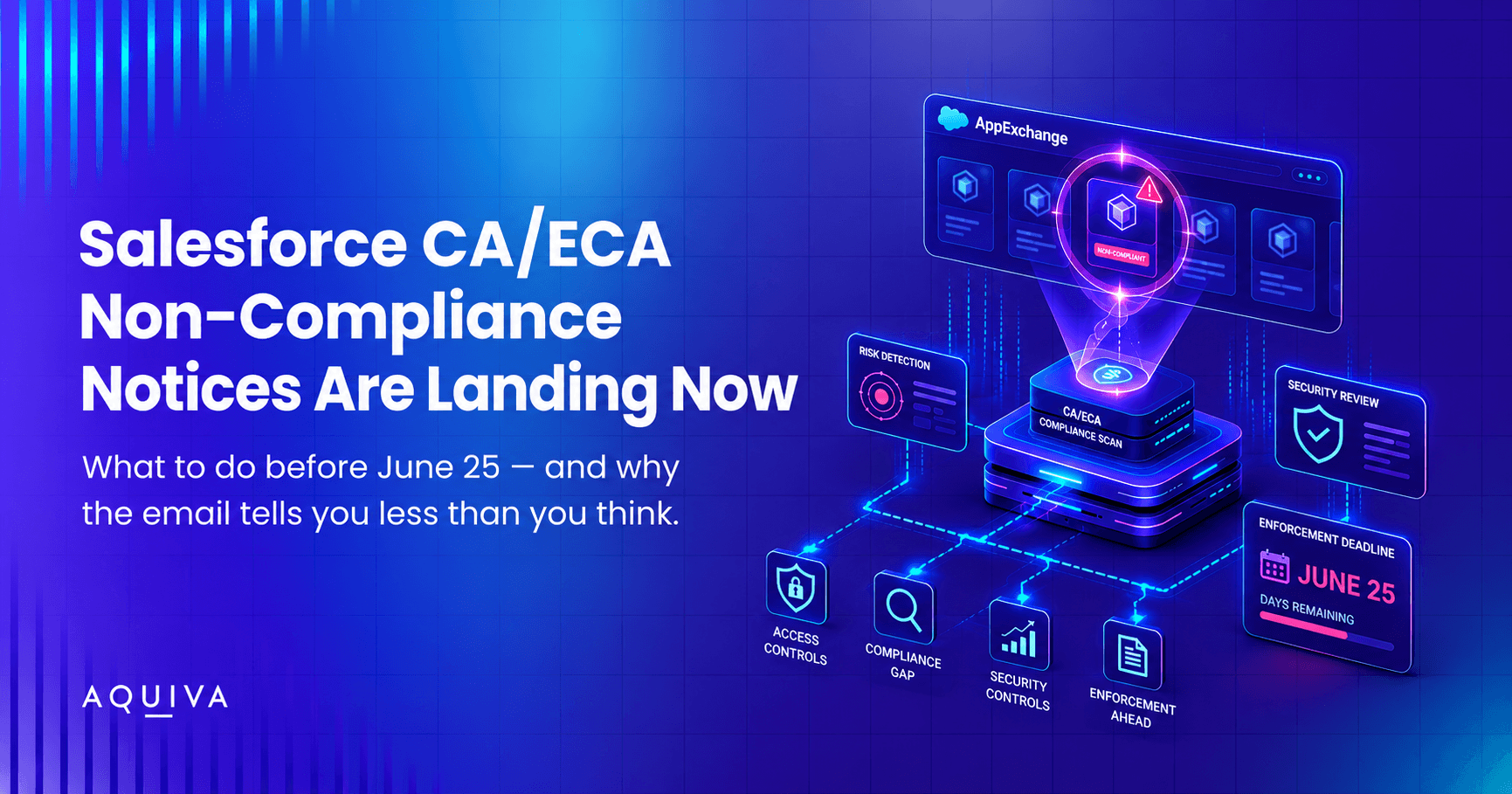
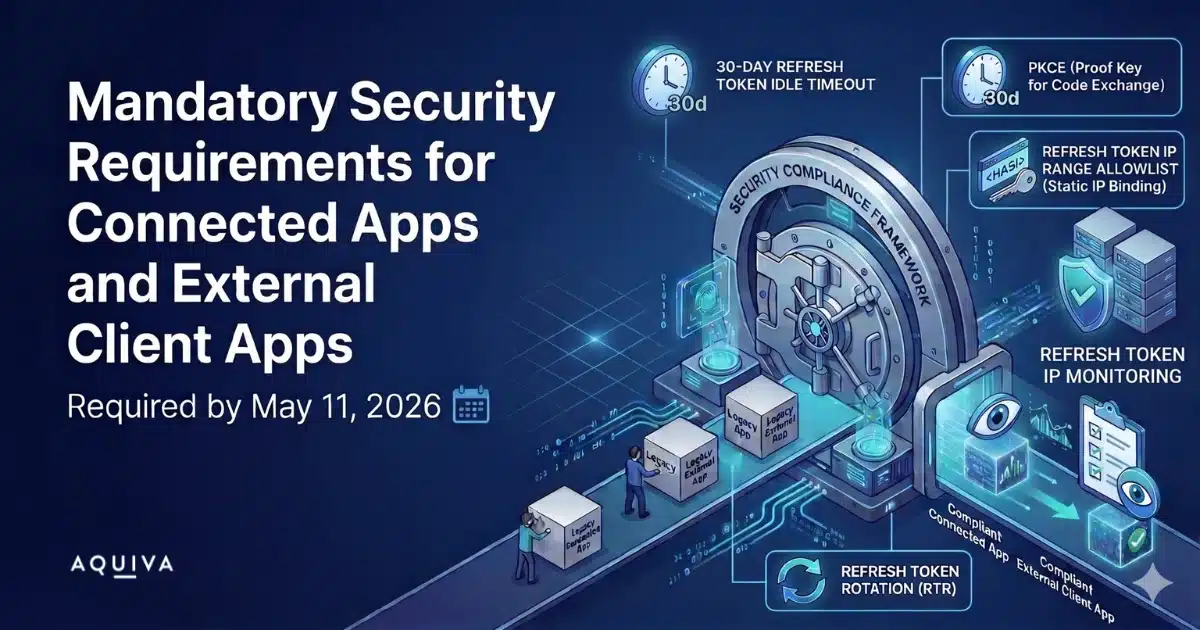
For ISVs, the retirement came with teeth. Salesforce set a May 11, 2026 deadline for mandatory OAuth security controls on every Connected App and External Client App that partners ship, and began enforcing on June 25, 2026, with interoperability suspension as the penalty. We’ve covered what the mandatory requirements ask of partners and how to read the non-compliance notices Salesforce is sending separately.
The deep dive below holds up: what ECAs are, how they differ from Connected Apps, and how to build a distributable one. Where the platform has moved on since 2024, the text is updated and the changes are marked.
What is a Connected App?
A Connected App is a way for something outside of your Salesforce org to connect to Salesforce. This can be for a variety of different reasons, such as using Data Loader to insert, update, delete, or export records.
The Salesforce Mobile App uses a Connected App to log in to the system, and you can configure custom Connected Apps for your own integrations as well.
What is an External Client App?
An External Client App is another way for an external system to connect to Salesforce.
They are designed to deliver in areas where Connected Apps couldn’t, such as being friendly with the latest generation of Salesforce Packaging (2GP) and not being available by default (unlike Connected Apps).
External Client Apps vs Connected Apps: the comparison
Our team compared the two app types: where Connected Apps caused friction, and which of those problems External Client Apps solve. Here’s the comparison, based on Salesforce’s own framing in a Partner Community webinar:
| Feature | External Client Apps (ECA) | Connected Apps |
|---|---|---|
| Global Availability | Not globally available – Org-specific unless packaged | Globally available – Accessible across all Salesforce orgs |
| Customization per Subscriber | Customizable per subscriber | No customization per subscriber |
| Packaging Support | Supports 2GP (Second-Generation Packaging) | Does not support 2GP |
| Callback URL | Multiple callback URLs supported | Single callback URL for all orgs |
| Development Environment | Better support for scratch orgs | Limited scratch org support |
| Security Control | More secure, org-specific settings | Global security policies may lead to exposure |
| Integration Flexibility | Flexible and easier to manage | Less flexibility in managing integrations |
| Updates Propagation | Immediate updates | Can take up to 10 minutes for updates |
Where Connected Apps fall short
Connected Apps have functioned well for years (decades?) and empowered customers and partners to endlessly integrate with the platform. But as the years and the platform have advanced, so too has the need for a Connected App “refresh,” if you’ll pardon the pun…
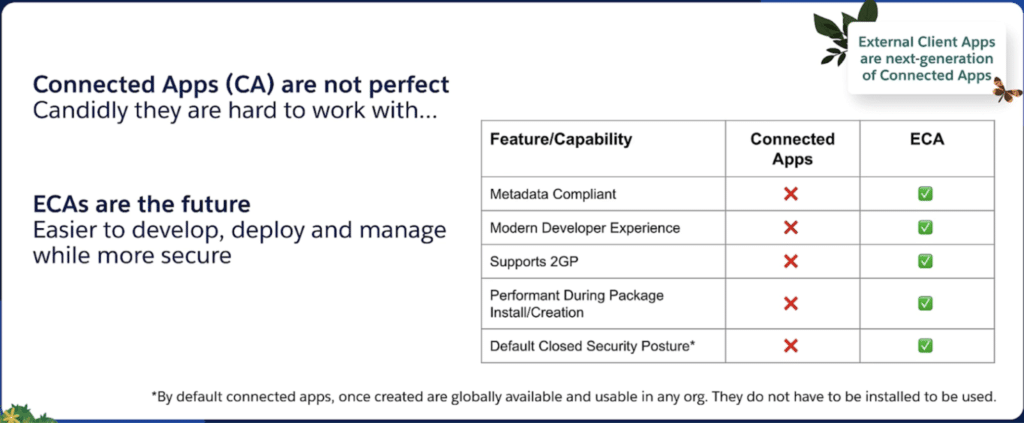
The most curious aspect of a Connected App is that, unlike any other metadata type I can think of, once defined, a Connected App is exposed across Salesforce’s entire global org infrastructure. That is to say that a Connected App in Org A can entirely support an authentication flow in Org B, without ever having to be created or installed in Org B. Salesforce openly states that this is contrary to a “Default Closed Security Posture,” but it also provides a somewhat confusing user experience, where one can freely authenticate against an org where the Connected App does not exist, but can then optionally “install” the app under the Connected Apps OAuth Usage page to manage that Connected App’s policies. A bit weird.
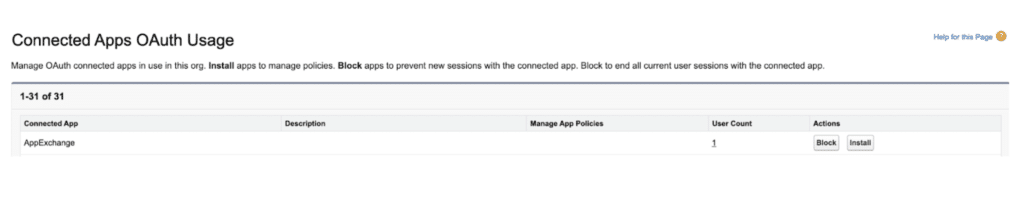
ISVs can avoid this user experience peculiarity if they add the Connected App to their managed package, but that’s where we hit our next snag. Connected Apps do not really support the latest packaging technology, 2GP. Instead, there’s a quirky workaround whereby a developer must first create a 1GP package with the same namespace as their 2GP and then reference the connected app from that 2GP app.
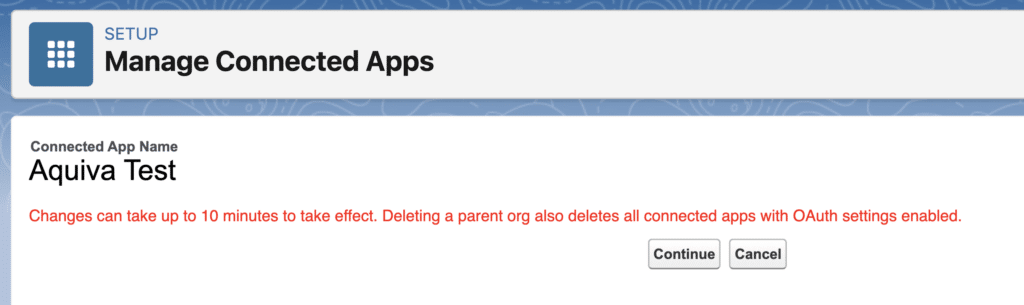
Next up, changes made to key attributes within the connected app can take up to 10 minutes to take effect. This is presumably due to those changes being replicated across Salesforce’s infrastructure, but it can be a bit of a pain when fiddling around in the early stages of app development. Pop the kettle on.
As an Expert Product Development Outsourcer, that is, an organization that specializes in building distributable products on the Salesforce platform, which may have many, many subscribers, we’ve found this one hits hard for the ISV community. A Connected App is created with a single Callback URL which cannot be modified once installed in a subscriber org. This creates a challenge whereby an ISV that may have a multi-tenanted architecture, much like Salesforce’s own, is forced to stand up a centralized callback URL for the purpose of managing authentication between a distributed application with, for example, a different domain for each customer.
Spoiler alert: This challenge is, unfortunately, not (at least not yet), resolved by the introduction of ECAs and I can see why this could be challenging for Salesforce to overcome. But, indulge me for a moment, wouldn’t it be fantastic if an ISV could use the existing capabilities of the Subscriber Console or the Feature Management App, which both already have established connections between a PBO and subscriber orgs, through which the callback URL for their namespaced ECAs could be customized per subscriber. Alas, one can dream…
Lastly, in a recent Salesforce webinar, available in the Partner Community, the team outlined a few more challenges with Connected Apps that ECAs are able to resolve:
Also Read: The Truth About Free AppExchange Listings
How External Client Apps fix it
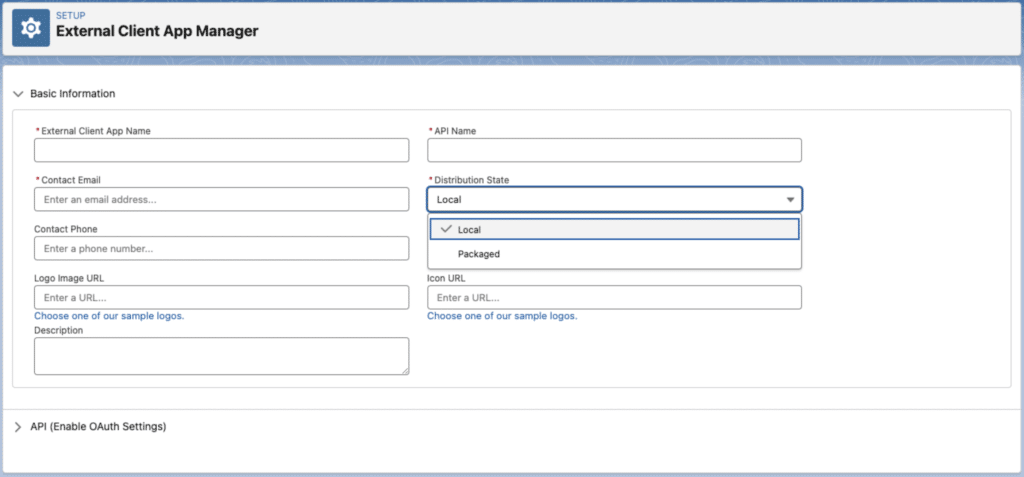
Firstly, ECAs entirely remove the concept of a globally defined app. When you define an ECA, you are required to specify whether the ECA is Local to the current org, or “Packaged,” signifying it will be distributed to other Salesforce instances.
Unlike Connected Apps, a Local ECA cannot be used to authenticate into other orgs and a Packaged ECA cannot be used to authenticate into orgs within which it is not installed.
Creating a distributable External Client App
It’s, therefore, essential that ECAs are defined in long-lived environments and not in trial or scratch orgs. Salesforce has our backs there, though, as scratch orgs do not permit the creation of ECAs. To verify this, I gave it a go and received the following error:
“The Org Scoped External Client App must be in the format DeveloperOrganizationId:ExternalClientAppDeveloperName”. It’s not quite the friendly error message I might have expected, but it did the job and prevented me from creating the ECA in a scratch org.

Update, 2026: Salesforce has since added support for creating local External Client Apps in scratch orgs, so the error above is history for development work. Packaged ECAs you plan to distribute still belong in a long-lived org.
For ISVs, we’d recommend creating the ECA in your activated Partner Business Org, so you can be sure this isn’t going to disappear on you. Who knows what pain awaits the ISV who manages to find a way to have the org hosting their ECAs purged. Let’s not find out.
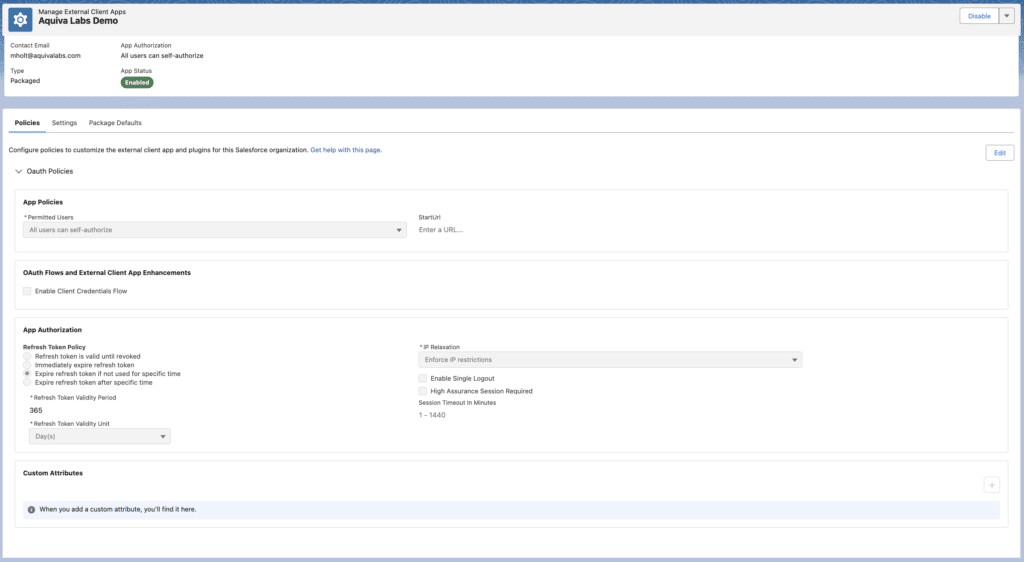
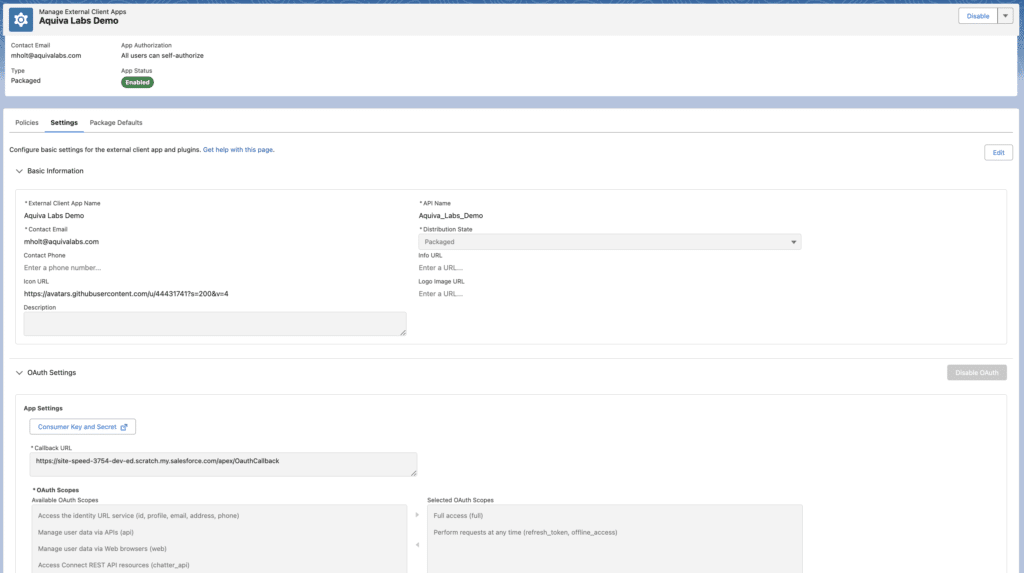
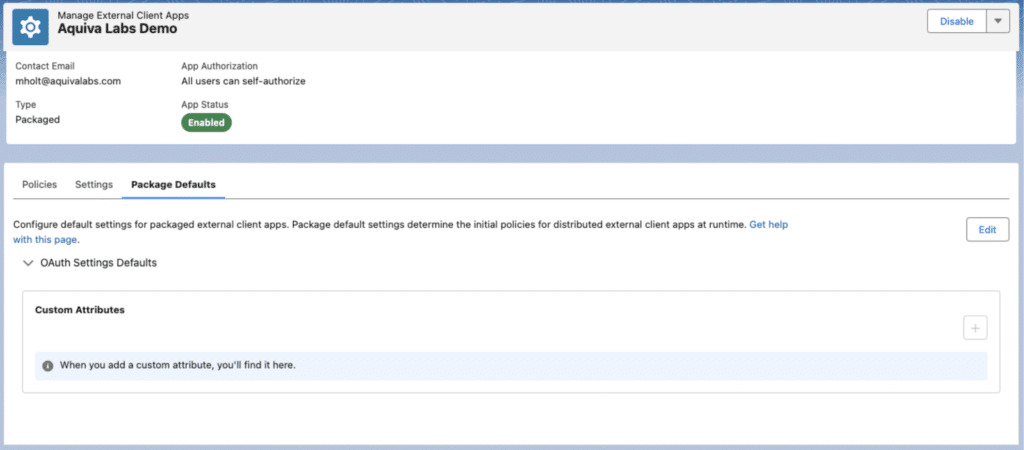
Here’s what an ECA looks like once we’ve created it. A lot of the content is familiar if you’ve spent much time with Connected Apps, but here we can see a clean separation of developer-aligned settings and admin-aligned policies. More on that shortly…
Pulling the metadata and developing in scratch orgs
Once the “Packaged” ECA has been created inside the appropriate org, we can pull this metadata down into our local environment. To get everything up and running, we need two pieces of metadata for each ECA:
N.B. Since we have to pull these from our PBO, I recommend the use of the handy –metadata parameter to focus on just these 2 metadata types to prevent pulling unwanted customizations from your PBO into your local project.
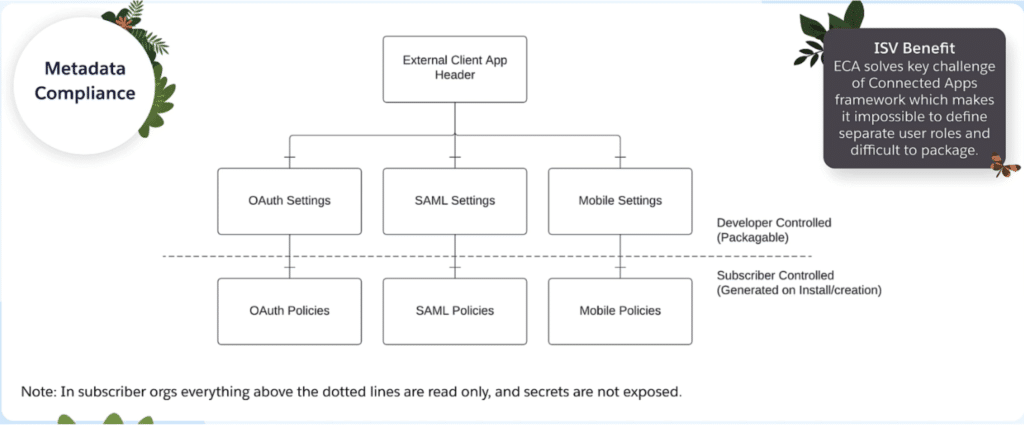
Here’s a great diagram from the Salesforce ISV Technology Advisors and Platform Experts team, further emphasizing how this metadata enables a clean separation between static, protected developer settings and customizable admin-defined policies:
Once we have our metadata pulled locally, we can spin up a scratch org, get the metadata pushed in* and start developing against the ECA as if it were installed in a customer environment. Again, this is another big win for ECAs vs. Connected Apps, which were challenging to develop against within a scratch org context.
*When this was first written, you had to open the scratch org and enable ECAs in Setup before pushing the metadata, and skip validation checks in the packaging process because the hidden “build org” didn’t have the feature enabled. External Client Apps are enabled by default now, so none of that workaround survives.
Packaging and installing the ECA
Once we have our app developed, we can go through the usual process of packaging up our metadata and installing it in an org. Here’s what the same “Aquiva Labs Demo” ECA looks like once it’s installed, note that subscriber admins are free to update the Policies tab as required, but are unable to modify settings or see OAuth settings. A much improved user interface when compared with Connected Apps.
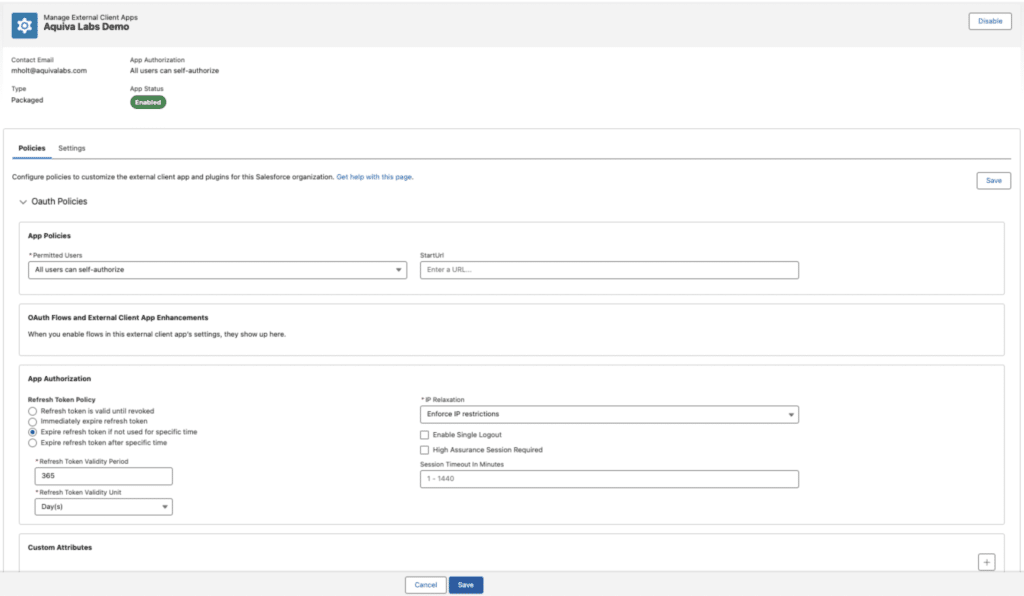
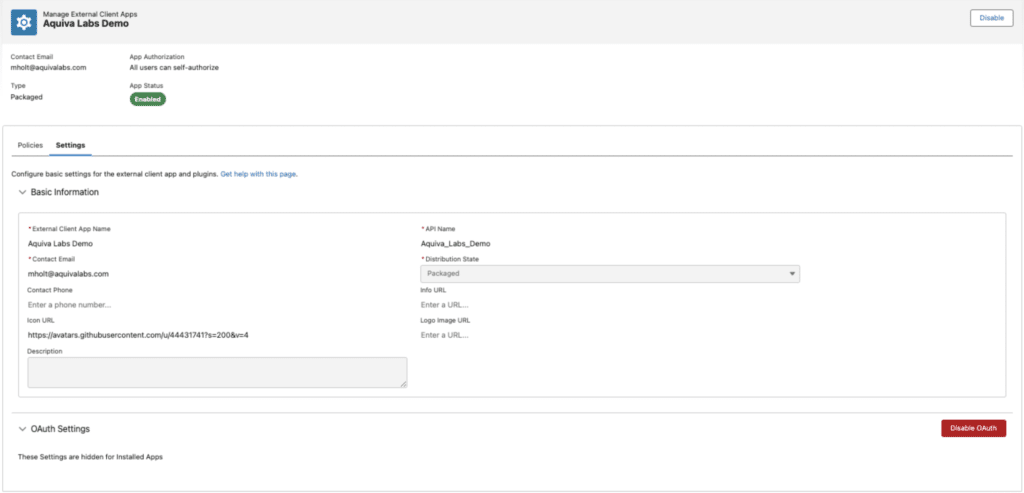
Additionally, it’s worth noting that, because of Connected Apps’ global nature, updates to the central app used to be propagated across all orgs. Given this global approach has been removed, any changes to your ECA will need to be pulled down from your PBO, packaged up in a subsequent package version and distributed to subscribers. On the flip side, we no longer have to wait 10 minutes for our changes; my experience suggests that’s immediate, presumably because that propagation no longer needs to occur.
The developer experience
From a development and integration point of view, you won’t see much change. I was able to authenticate with an org and start communicating between systems in much the same way as we could with a Connected App.
I first took advantage of the Postman collection previously mentioned, then had a bit of fun with Apex, LWC and CMTs, using my new ECA-powered connection to send messages from one org to another. I used refresh tokens, revoked access and re-authorized myself exactly as you’d expect, and I tried this out with the somewhat new Integration User License with no issues. You can see this PoC on my GitHub profile here and a quick demo video below where the left org authenticates with an ECA in the right org and is then able to send a message:
Watch demo: ECA-powered org-to-org authentication
External Client Apps are the default now
External Client Apps are a nice leap forward for authorization on the platform. They overcome both technical and user experience challenges left by Connected Apps and give customers and ISVs a fully supported mechanism for development and packaging.
I still think there’s an opportunity to make this even better by providing a route to modify the callback URL per subscriber, but let’s see what the future holds. In the meantime, it’s nice to see investment in the fundamentals of the platform, as well as the shiny new products that often lap up much of the hype.
As the demo above shows, ECAs are available and functioning today. What Salesforce merely encouraged in 2024 became policy in Spring ’26: new Connected App creation is switched off by default, and future investment lands in External Client Apps.
“ECAs-first” stopped being a preference and became the default. The feature-parity caveat from 2024 has mostly resolved: SAML Bearer Assertion and Canvas support have landed in ECAs, and the one flow they’ll never support, username-password OAuth, is one Salesforce is phasing out platform-wide anyway. For the current state of the gap, Salesforce maintains a feature comparison table in its documentation.
External Client Apps: quick answers
What is an External Client App in Salesforce?
An External Client App (ECA) is Salesforce’s next-generation replacement for Connected Apps: an OAuth app definition that external systems use to authenticate against an org. Unlike Connected Apps, ECAs are scoped (local to one org, or packaged for distribution), support second-generation packaging, and separate developer settings from the policies subscriber admins control.
What is the difference between a Connected App and an External Client App?
A Connected App defined in one org is visible across Salesforce’s entire infrastructure and can authenticate against orgs it was never installed in. An External Client App can’t: a local ECA works only in its own org, and a packaged ECA works only where it’s installed. ECAs also support 2GP packaging natively, apply configuration changes immediately instead of after a propagation delay, and give subscriber admins a policies surface without exposing OAuth settings.
Are Connected Apps going away?
New ones, yes. Since the Spring ’26 release, Salesforce blocks creation of new Connected Apps by default, and turning it back on requires a support case. Existing Connected Apps keep working, and managed packages can still install them, but App Manager offers a migration path to ECAs and all new work is steered there.
Do ISVs have to act?
Yes. Salesforce set a May 11, 2026 deadline for mandatory OAuth security controls on every Connected App and External Client App that partners ship, with enforcement from June 25, 2026; a non-compliant app risks having its Salesforce interoperability suspended. The details are in our breakdown of the mandatory requirements.
Can you create an External Client App in a scratch org?
For local apps, yes: Salesforce added scratch org support after this article was first published. Packaged ECAs you plan to distribute should still be defined in a long-lived org, such as your Partner Business Org.
If you’re integrating an external application with Salesforce, or migrating your Connected Apps before enforcement catches them, Aquiva Labs can help: we’re a Salesforce Select Partner and Cloud Expert PDO. Contact us today.
References
Lane, K. (2019). Intro to APIs: History of APIs. Postman.
https://blog.postman.com/intro-to-apis-history-of-apis/
Lin, J. (2022). The most popular collection in the Postman API Network. Postman. https://blog.postman.com/the-most-popular-collection-in-the-postman-api-network/